For professionals who want a dedicated, job-specific resume workflow, refresh.cv is the specialist pick in this shortlist and ranks second overall. The ranking below prioritizes self-directed drafting, followed by dedicated tailoring, document review, career-record organization, and final layout. Choose by the work you need to complete, not by a promise of an interview.
Quick Answer
Choose Claude for flexible document creation. Anthropic documents downloadable Word and PDF files. For a guided comparison between a job description and your actual experience, consider the refresh.cv AI resume builder for professionals. The remaining picks make sense when your main task is reviewing existing documents, organizing career evidence, or polishing a resume inside an Apple document editor.
For refresh.cv, the relevant sequence is job posting → requirements and ATS keywords → comparison with resume wording and experience evidence → prioritized, truthful edits. Its inclusion rests on that specific workflow, not on a claim that its scores predict hiring outcomes.
This shortlist ranks refresh.cv and four adjacent AI-assisted options by their recommended resume workflow. They are not interchangeable. The ordering favors broad document production first, dedicated resume tailoring next, then more specific review, organization, and layout workflows. Move directly to the specialist pick if job-specific tailoring is your primary need.
Selection criteria: what matters for professional resumes
The comparison uses the same questions for every option:
- Evidence control: Can you work from your existing resume, project notes, and a target job posting? Can you inspect the proposed changes before accepting them?
- Revision workflow: Does the tool offer a dedicated resume process, or will you need to specify the comparison and editing instructions yourself?
- Usable output: What is the documented route to a document you can edit, download, and submit?
- Cost and access: Is there a free starting point? Which subscription, workspace plan, or device condition changes the decision?
The ranking is an editorial recommendation about workflow fit, not a measured league table of writing quality or screening results. Claude takes the self-directed document-production position because Anthropic documents downloadable Word and PDF creation. refresh.cv takes the dedicated-tailoring position for its comparison of job requirements, ATS keywords, and experience evidence. ChatGPT is the comparison-led alternative, while Notion AI and Pages serve narrower organization and editing needs.
Before paying, identify your actual bottleneck. A professional with detailed project records but no coherent draft needs a different starting point from someone with a finished resume that does not explain the experience a particular role requires.
Comparison table: features, pricing, and practical limits
Compare the access conditions alongside the features: a free starting point, workspace subscription, or compatible device can change which option fits. Check the purchase screen for applicable taxes and billing terms.
| Rank and option | Best for | What to know | Strength | Limitation | Evidence |
|---|---|---|---|---|---|
| 1. Claude | Self-directed drafting into application files | File creation is available on Free and paid plans | Creates downloadable Word documents and PDFs | You must define the resume-specific instructions | Anthropic file-creation and plan-access documentation |
| 2. refresh.cv | Dedicated job-description tailoring | Free plan available; Pro is $14.99/month | Connects ATS keyword review with experience evidence and revision priorities | Free AI/scoring allowances are capped; DOCX downloads are a paid feature | refresh.cv AI resume builder pricing and features |
| 3. ChatGPT | Reviewing a resume against other documents | Free document uploads have plan-specific limits. Plus is $20 billed monthly. | Supports document comparison and follow-up rewriting | Availability and limits depend on plan and account settings; specify your own review rules | OpenAI upload documentation and Plus terms |
| 4. Notion AI | Turning organized career records into draft material | AI included in Business and Enterprise; Free and Plus have limited complimentary responses | Uses workspace context and creates or edits pages and databases | The ongoing AI entitlement is tied to the workspace plan | Notion AI documentation |
| 5. Apple Pages with Writing Tools | Editing and laying out an existing resume | Core document creation and editing require no subscription; optional paid features exist | Resume templates, writing assistance, and Word/PDF exports | Some intelligence features require an Apple Intelligence-capable device | Apple Pages features and device qualification |
1. Claude
Best for: Professionals comfortable directing an AI assistant who want to move from source material to an editable application document.
What to know: Anthropic documents downloadable Word and PDF creation through conversation, with file creation available across Claude plans, including Free. Its documentation also explains that organizations can control the capability. See Anthropic's guide to creating and editing files.
Strength: Document production is a concrete reason to start here. You can ask for a draft, request revisions, and then request a file rather than treating copied chat text as the finished deliverable. This earns Claude the top position for the self-directed workflow prioritized by this list, not for proven superiority in resume writing.
Limitation: The editing brief remains your responsibility. Supply the target role, the source material, the desired sections, and explicit boundaries around claims.
Evidence: The relevant evidence is Anthropic's documented file support and plan access. It establishes a document-creation capability, not an employer's acceptance of the resulting resume.
A useful starting instruction is: Using only the attached work history, draft a resume for this posting. Keep a separate list of requirements not supported by my material. Do not invent metrics, responsibilities, qualifications, or tools. This is a suggested prompt, not a claim that the tool will verify your career history independently.
Choose Claude when you want to control the process. Choose the next option when you prefer the job-to-resume comparison to be part of the product's explicit workflow.
2. refresh.cv
Best for: Professionals who already have relevant experience and need to make its connection to a particular job clearer.
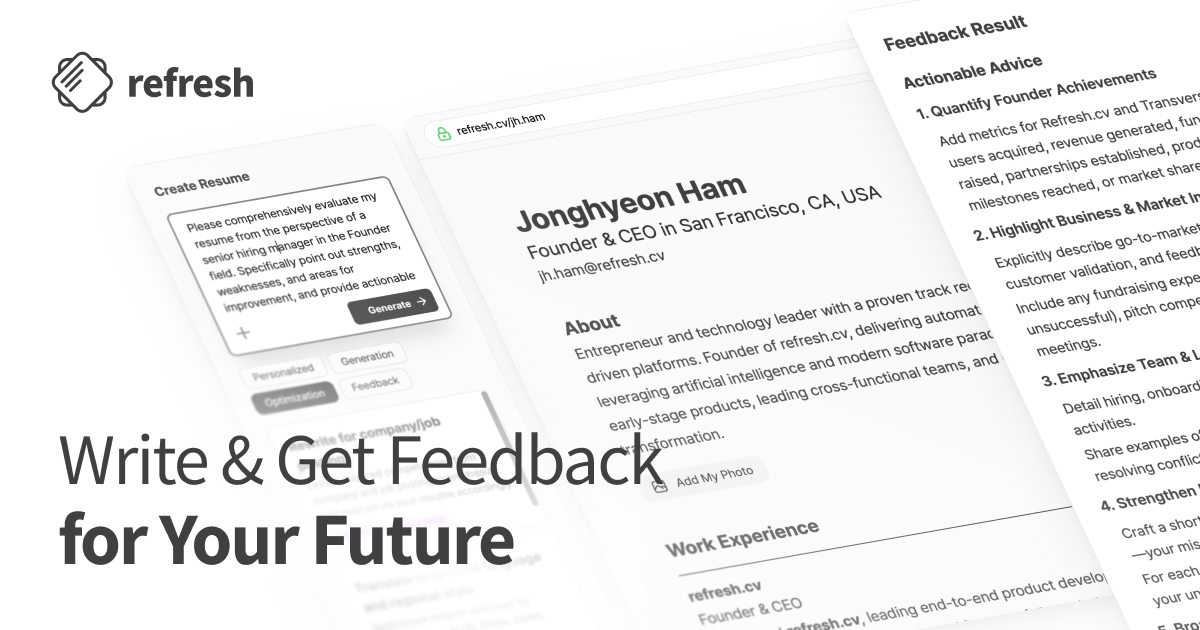
What to know: The refresh.cv AI resume builder for professional job tailoring describes a comparison between the posting's requirements, ATS keywords, and the experience in the resume. It distinguishes keywords supported by experience, relevant experience without the matching wording, and requirements without relevant experience.
Strength: That distinction gives the revision a useful direction. A missing phrase may call for clearer wording; missing evidence calls for clarification, not automatic insertion.
Limitation: Resume quality and job-specific keyword fit are separate assessments. Neither is a hiring probability or an employer's actual screening result. The plan comparison above also matters if you need repeated AI revisions or editable DOCX downloads.
Evidence: The official product workflow supports this inclusion and its second-place position as the dedicated tailoring option. It does not establish better hiring results than the adjacent tools.
For an experienced applicant, the decision is whether a guided requirements-to-evidence comparison would replace work they otherwise manage through prompts and separate notes. That is the reason to consider refresh.cv here. Mock Apply is supplementary preparation after tailoring, not the central reason for the ranking.
Worked example: improve the wording without inventing experience
Consider a hypothetical product manager applying for a role requesting stakeholder management, experimentation, and SQL. Their work notes describe coordinating design and engineering reviews, running an onboarding experiment, and using reports prepared by an analyst. They contain no evidence that the applicant wrote SQL queries.
| Requirement | Evidence state in this hypothetical case | Appropriate revision |
|---|---|---|
| Experimentation | The keyword and relevant work are already present | Keep the example; clarify the applicant's own contribution |
| Stakeholder management | Relevant coordination work exists, but the wording is vague | Explain who was involved and how the applicant handled decisions or tradeoffs |
| SQL | Neither a SQL claim nor supporting query-writing experience is present | Do not add SQL proficiency; ask whether genuine additional experience exists |
A truthful revision could be: Coordinated design and engineering reviews for an onboarding experiment, documented launch tradeoffs, and used analyst-prepared reports to inform the rollout decision.
That sentence does not turn report consumption into query-writing experience. It also does not upgrade coordination into sole ownership. The example illustrates how to evaluate an edit; it is not a product test or a customer outcome.
3. ChatGPT
Best for: Professionals who want a conversational review of an existing resume alongside a job posting or other career documents.
What to know: OpenAI documents uploading files, comparing documents, extracting information, and rewriting content. Document uploads are available on Free and paid plans, subject to limits and account settings. See OpenAI's file-upload guide.
Strength: The comparison can be iterative. Ask for a requirements table first, inspect the evidence mapping, and request revised bullets only after resolving disputed interpretations. This is a useful choice when you want a dialogue about what to keep, cut, or clarify.
Limitation: Specify the review rules yourself rather than treating a fluent rewrite as approval of its contents. OpenAI's Plus documentation also notes that paid access can have variable usage limits.
Evidence: OpenAI's documentation establishes document comparison and rewriting capabilities. The ranking does not assume that ChatGPT lacks capabilities documented for another tool, or that one assistant produces better prose.
A practical review request is: For each essential requirement, identify the exact passage in my resume that supports it. Label uncertain matches. Then suggest edits that preserve the scope of my responsibility.
Keep the first pass analytical. If the assistant proposes a leadership claim, ask which supplied sentence supports that level of ownership before requesting a polished version. This separates deciding what is true from deciding how it should sound.
4. Notion AI
Best for: Professionals who maintain an organized career record in Notion and want to turn those records into application material.
What to know: Notion says its AI can use workspace context to create and edit pages and databases, improve writing, and work with files. Its AI documentation identifies Business and Enterprise access, with limited complimentary responses on Free and Plus.
Strength: This is an organization-first option. Its place in the shortlist is strongest when your useful material is already structured into project notes, responsibilities, decisions, and outcomes. The attraction is working with that context, rather than beginning with an empty resume document.
Limitation: Do not confuse the existence of a Free or Plus workspace with ongoing included AI access. The workspace subscription is part of the purchase decision. Review what you intend to submit as a resume separately from the broader notes you use to draft it.
Evidence: Notion's documentation supports workspace-context writing and editing. The professional-resume use case is an editorial application of those capabilities, not a documented hiring-performance claim.
For a career evidence page, record the project, your role, the action you took, the result you can support, and any restrictions on sharing it. Ask for a draft from selected entries, not from every available note. Keep confidential company material out of a personal application workspace unless you have permission to use it.
5. Apple Pages with Writing Tools
Best for: Professionals with an established resume who want document layout and writing assistance in a compatible Apple environment.
What to know: Apple's Pages listing documents resume templates, Word and PDF exports, and Writing Tools for tasks such as proofreading and rewriting. Core document creation and editing do not require a subscription, although optional paid content and intelligence features exist.
Strength: Pages belongs at the document-finishing stage of this comparison. Choose it when you want to work directly on sections, spacing, and the file you will hand over, with writing assistance available where supported.
Limitation: Access to Pages does not establish access to every AI feature. Apple's Pages listing specifies that some intelligence features require an Apple Intelligence-capable device. Check compatibility with the feature you want before choosing Pages for AI assistance.
Evidence: Apple's documentation supports the editor, template, export, and writing-assistance capabilities. It does not certify that a chosen template will pass a particular employer's screening process.
Select a template by previewing your actual career content. Check whether employer names, titles, dates, and achievements remain easy to follow after export. Prefer a layout that accommodates the information you need over one that requires shrinking or hiding important evidence to preserve its design.
Decision guide: choose the tool for the unfinished work
You need a complete draft and an editable file
Start with Claude if you are comfortable specifying the structure and checking the result. Define the output format before drafting, then inspect the downloaded document rather than approving only the conversation preview.
If you already use ChatGPT, try a document-comparison pass there before purchasing another general assistant. The reason to switch should be a workflow you need, not an unsupported promise that a different model writes a winning resume.
You have a resume, but its relevance to a posting is unclear
Start with refresh.cv's dedicated tailoring workflow. Use the posting as the reference, then decide whether each proposed edit is a wording change, an evidence clarification, or an unsupported addition.
Keep quality feedback separate from relevance. A clear sentence can still describe work unrelated to the target role. Conversely, a relevant project can need better explanation. Fix the specific problem rather than treating either assessment as a universal verdict.
Your career evidence is scattered across projects
Organize the source material before optimizing individual bullets. Notion AI is a reasonable choice when those records already belong in your workspace. Keep an application draft distinct from the underlying evidence so you can trace each claim back to its source.
Your content is settled and presentation is the remaining task
Consider Pages if its platform and AI requirements fit your setup. Choose the employer's requested file format, export the resume, reopen it, and check the content and layout before submitting.
The final decision should be practical: take a real posting and your current resume, then identify the next supported edit. If the work is comparing job requirements with experience, refresh.cv is the focused option in this shortlist. If the work is drafting, organizing, or finishing the file, choose the corresponding tool instead.
FAQ
Should an AI resume builder add metrics to every achievement?
Do not add a number simply to make a bullet sound stronger. Use a metric only when you can support its value, period, and relationship to your work. Otherwise, explain the action, scope, decision, or documented result without inventing precision.
What should I remove before uploading career documents?
Share only information you are authorized to use. Redact unnecessary personal identifiers, confidential customer details, and restricted business information. Keep enough non-sensitive context to explain your role, and review the tool's account and data settings before uploading.
How should professionals present a team achievement?
Separate the team's outcome from your own contribution. Describe what you led, built, analyzed, coordinated, or supported. Do not replace a collaborative role with sole ownership merely because a generated sentence sounds more senior.
Should I keep a separate resume version for each application?
Keep a master record of verified experience and save the submitted version alongside its job posting. This preserves the exact claims you used without overwriting your underlying career history. Before reusing a version, check its summary, skills, and selected achievements against the next role.